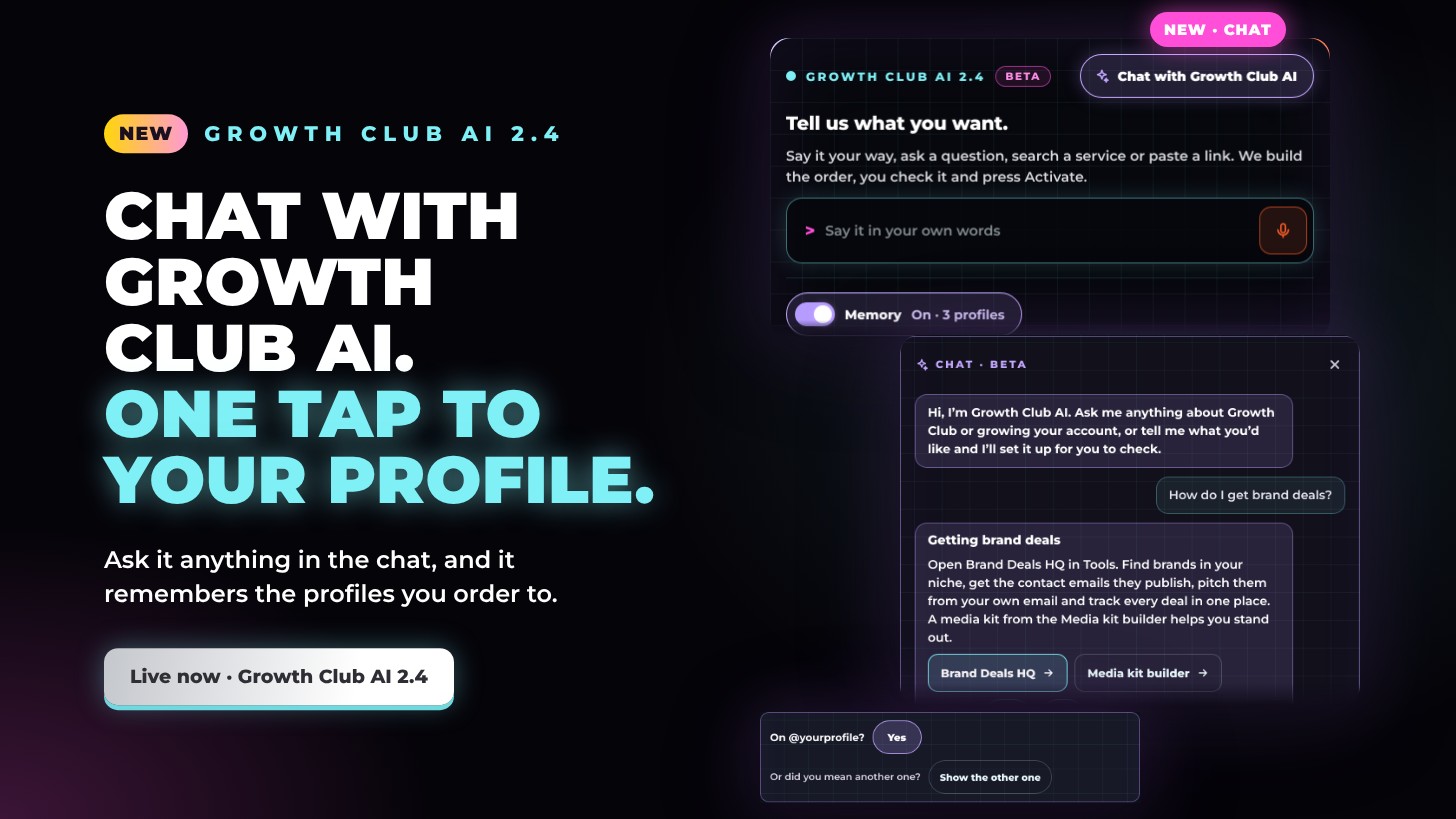
Growth Club AI 2.4: chat with it any time, one tap to your profile
Growth Club AI 2.4 is live. Tap Chat with Growth Club AI at the top of the box to talk anything through with it, on your phone or your computer. It also remembers the profiles you order to, so the next order that needs one is a single tap, and it shows you the real services right in the box whenever you ask to see, compare or get a recommendation. Changes you type under the plan are read more carefully too, so the plan stays exactly what you asked for.
Chat with Growth Club AI
- One tap away. The Chat with Growth Club AI button sits at the top of the box, on your phone and your computer.
- Ask it anything. Services, timing, refills, rewards, brand deals or growing your account: you get a clear answer in seconds, with buttons that take you straight to the right page.
- It sets it up for you. Tell it what you’d like and it builds the plan in the box for you to check. It never orders on its own: nothing goes in until you press Activate.
- It follows the conversation. Ask a follow-up and it knows what you’ve just talked about and what you’ve just ordered, so nothing goes in twice.
- Help it get better. Tap Helpful? Yes or No under an answer. Every tap helps us improve the answers.
Memory: one tap to your profile
- It remembers where you order. Growth Club AI keeps the profiles your account orders to (not links to single posts), from your own order history and subscriptions.
- One tap. When an order needs a profile, it asks On @yourprofile? Tap Yes and it’s filled in. Ordered to more than one? Tap Show the others and pick.
- Only your own. It only ever suggests profiles your own account has ordered to, and when you name a profile yourself, it leaves the choice to you.
- Your choice. Memory is kept on your device, for your account only. Switch it off at the bottom of the box and it forgets them.
Every service, in view
- Just ask to see them. Ask Growth Club AI to show, list, compare or recommend services and it shows the real ones: every service of a kind, our picks for a platform, or which platform has what you need.
- The details that matter. Each service shows its rating (Premium, Mid-range or Basic), its price per 1,000, how quickly it starts and its limits.
- Narrow it down. Ask for a particular audience or a price limit, and it shows the ones that fit.
- Tap to use it. Tap a service and it goes into Single order, ready for your link. Nothing is ordered until you press Activate.
- In the chat too. Ask in the chat and the list appears straight away.
Changes, read more carefully
- No guessing. When one message under the plan takes something off and changes something else, Growth Club AI takes a closer look instead of guessing.
- Usernames, read in context. An @username goes into the plan when you say the order is for it, and you always see it under Link before you press Activate.
- Change platform in one go. Say it’s for TikTok, not Instagram, and the plan moves over and asks for your TikTok profile.
Try it now
Growth Club AI 2.4 is at the top of the Service page. Tell it what you want, or tap Chat with Growth Club AI to talk it through. You check the plan, then press Activate.