Introducing the Service prompt: just say what you want
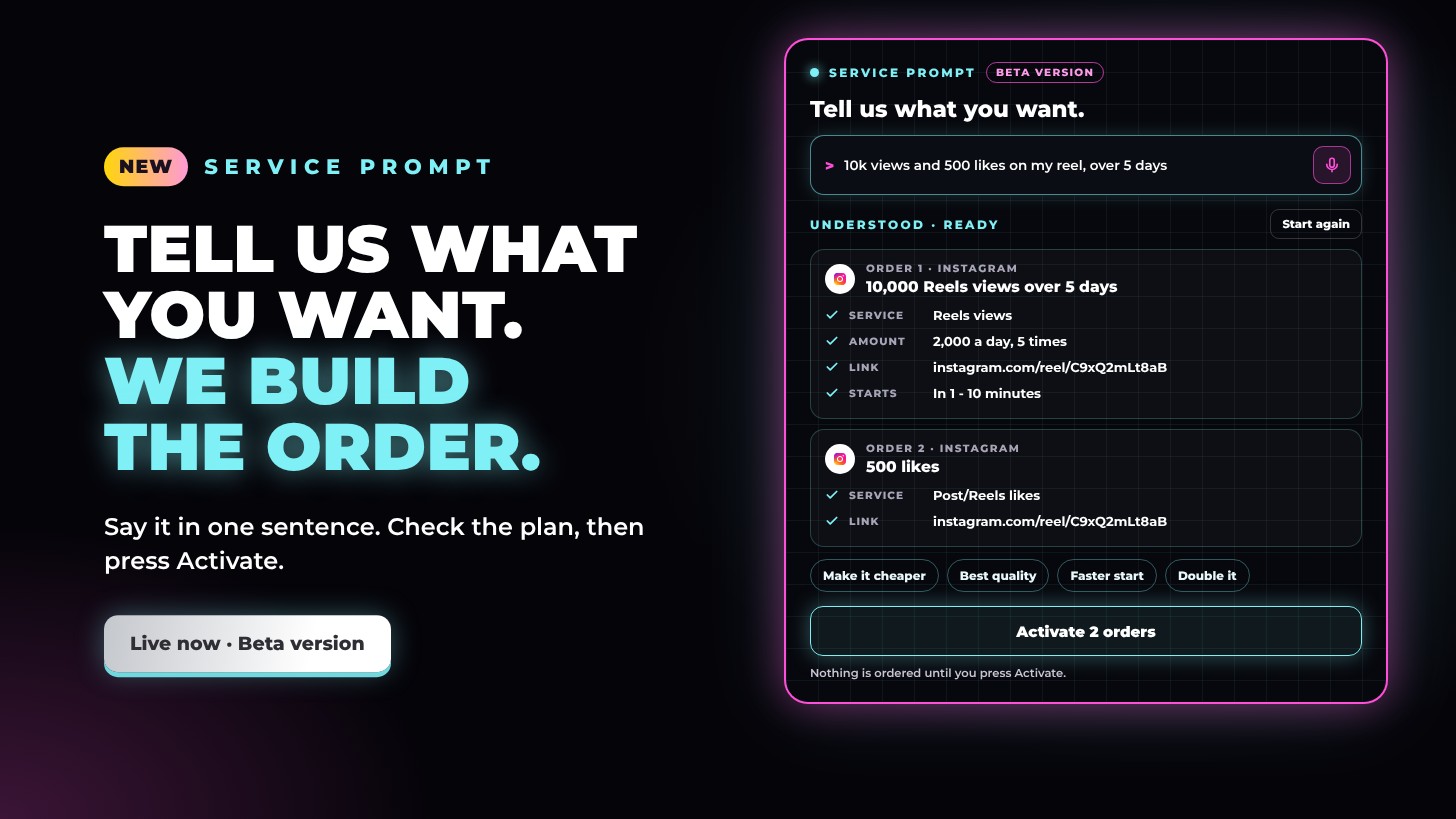
Meet the Service prompt. Type what you want in your own words, like “10k views and 500 likes on my reel”, and Growth Club builds the whole order for you: the right services, the amounts, your link, the timing and the price, ready for you to check and activate. It’s the newest step in how Growth Club is leading innovation in marketing systems.
Just say it
The Service prompt is at the top of the Service page. Type your request, or tap the mic and say it. A few ways to ask:
- “10k views and 500 likes on my reel”
- “1k premium followers for @yourname over 5 days”
- “$20 of likes on my latest post”
- “Same as last time”
- “Make my account look established for a brand pitch, $50”
What it understands
- Amounts, written your way. 10k, 2,500, 1.5m, ten thousand or half a million.
- Several orders in one sentence. Join them with “and”, commas or “then”, and use several links at once.
- Your links and usernames. Paste a reel, post, video or profile link, or just write @yourname. It knows the platform and which services fit that link.
- Every platform and service. Followers, likes, views, saves, comments, shares, reposts, story views, live viewers, watch hours, connections, press releases and more, across Instagram, TikTok, YouTube, Facebook, X, Threads and LinkedIn.
- Quality and speed. Say premium, mid-range or basic to choose the rating, or ask for the cheapest or the fastest start.
- Your budget. “$20 of likes” or “budget 50”, and it fits the order to the amount.
- Timing. “Over 5 days”, “500 a day for a week”, “in 3 parts”, “every 2 hours” or “by Friday” spreads the order out for you with Repeat your order (drip-feed).
- Every new post. “On every new post” or “on my next 5 posts” sets up automatic delivery on your future posts.
- Your audience. Ask for UK, USA, European, female or verified accounts and more, and it picks a targeted service where there is one.
- Goals, not just services. Ask it to make your account look established for a brand pitch, to help a post go viral or to grow your account, and it builds a mix of services to match.
- Same as last time. It reads your Order history and sets your last order up again.
- Your favourites. Say “my favourite” and it uses your starred service.
- Typos. “1k folowers” still works.
- Search and links on their own. Type a service name or ID to see the matching services, or paste just a link to see what fits it.
Check it, change it, activate it
- A clear plan. Every order gets its own card showing the service, the amount, the link, when it starts, any repeats or automatic delivery, and anything you need to do before you order.
- Change anything. Tap a quick change such as Make it cheaper, Best quality, Faster start, Spread over a week, Add likes or Double it, or type it: “make the views 20k”, “add 300 more likes”, “on TikTok instead”, “only $5”.
- Checked for you. Amounts stay within each service’s limits, and it tells you when it adjusts one.
- To pay now. The total, the reward points you’ll earn and what automatic orders could cost later. If your balance is short, it shows how much to top up.
- Activate. One tap places every order in the plan. Prefer to finish it yourself? Fill the order box with it, or put it in Multi order.
Nothing is ordered until you press Activate.
Leading the way
Most growth services still hand you a long list and a form, one order at a time. Growth Club is built the other way round: you say what you want, and the system does the work. The Service prompt joins Multi order, reward points, Brand Deals HQ and the media kit and portfolio builders in one place built for creators, and it’s only the start.
The Service prompt is in its beta version, and each update adds new ways to ask. If it can’t read something yet, it shows you ways to say it, and the order box is always right below it.