Ordering, upgraded: introducing Multi order
Ordering at Growth Club has been upgraded. The order page is now called Service. It has a rebuilt order box that gets you from platform to placed order in fewer steps, and something brand new: Multi order, for several orders in one go.
New: Multi order
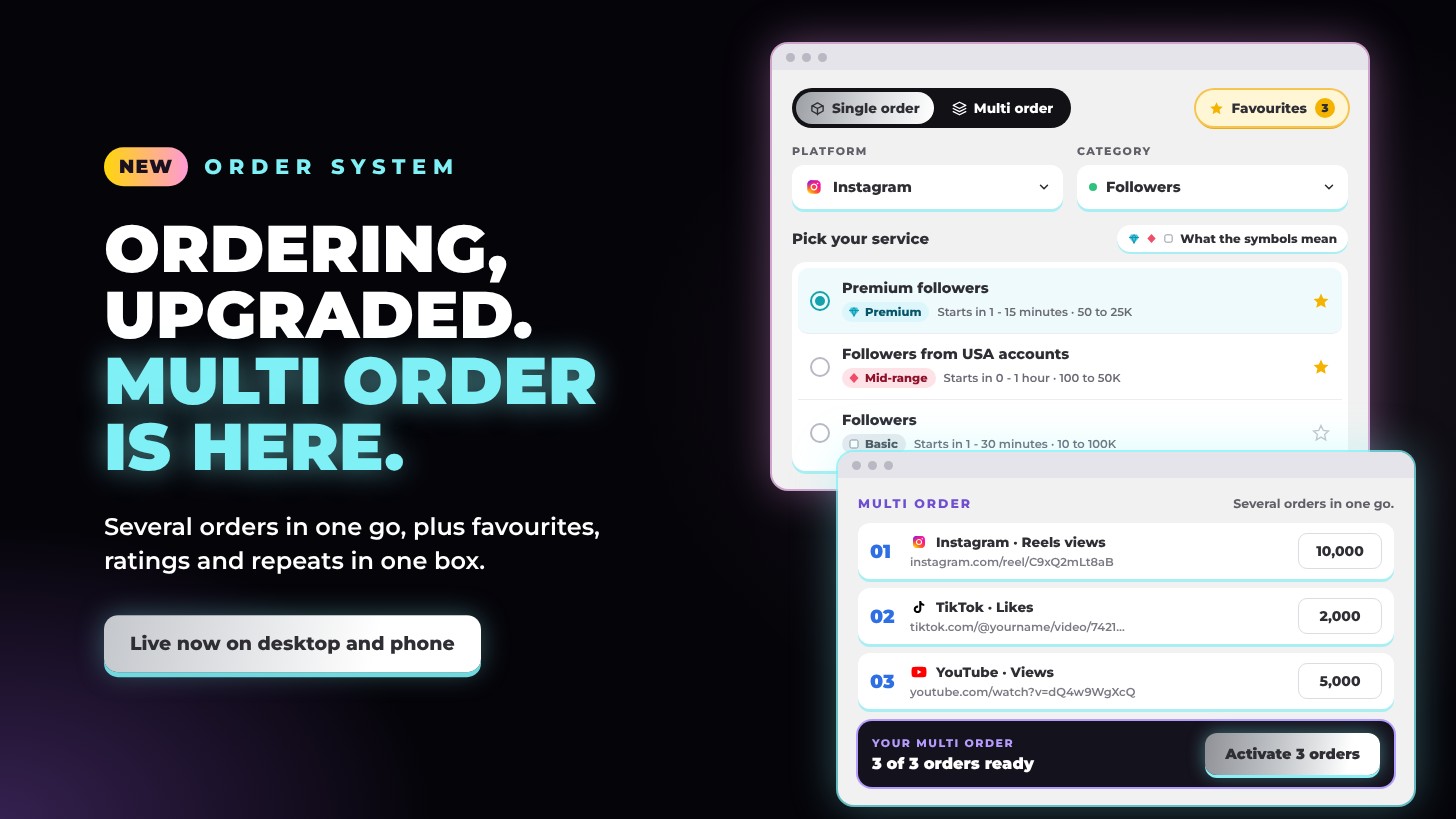
Switch to Multi order at the top of the order box to build several orders at once. Every order can have its own service, link and quantity, and they all go out together.
- One row per order. Pick the platform, category and service, paste the link and set the quantity. Each row shows its price and limits as you go.
- Same service, many links. Add one service to several links in a single step: paste the links, one per line, and set the quantity for each.
- Checked before you order. A row tells you if its link is missing or is for a different platform, if the quantity is under the minimum or over the maximum, or if the same link and service are in there twice.
- Add another order, or remove one, at any time. Your total and your reward points update with every change.
- Show order lines writes every order out as service ID, link and quantity, if you like to see it that way.
- Activate them all at once. One button places every order, paid from your Growth Club balance, and each one shows in Order history.
Setting up a service in Single order? Tap Add to multi order to move it across.
The upgraded order box
- Opens on your favourites. Tap the star next to any service to save it. The Favourites button sits at the top right of the box, and the box opens on your favourites, ready to order. No favourites yet? Pick a platform and the rest opens step by step.
- Platform and category, side by side. Two clear dropdowns with full-colour icons for Instagram, TikTok, YouTube, Facebook, X, Threads, LinkedIn and Press releases. Every category shows how many services it holds.
- Fits your link. Paste your link and the categories that fit it are marked, so you always know which services suit a reel, a post, a video or a profile.
- Pick your service. Every service in one clean list, each with its rating, ID, start time, limits and price per 1,000. Related services are grouped under clear headings, such as Instagram Reels and Instagram Posts inside Views (Reels & Posts).
- Ratings at a glance. Premium · Diamond, Mid-range · Ruby, Basic · Quartz and Team pick. Tap What the symbols mean for the full guide.
- Your link and amount. Under the link box it tells you exactly which link to paste, with an example, and it warns you if a link is for another platform.
- Before you order. Anything you need to do first, such as switching off a setting on your account, sits right above your link, so it never gets missed.
- Repeat your order (drip-feed). Turn it on to spread an order out: choose how many repeats and the minutes between each one, and the box works out the total.
- Get this on every new post. Where a service can run automatically, one switch sets up the same order on your next posts: choose how many posts, the amount for each, how long to wait after a post goes up and an optional stop date.
- Every service type in one place. Custom comments, mentions, comment replies and press release packages all have their own fields in the same box.
- Your order, in plain words. The summary reads like a sentence, such as “10,000 views on your reel”, with when it starts, any repeats, the charge and the reward points you’ll earn.
- Activate. One button places it. The confirmation appears right in the box with your order ID, and your balance updates straight away, with no page reload.
The new layout
- The Service prompt sits at the top of the page. Tell it what you want in your own words and it builds the order for you. See everything it can do.
- The order box sits right below it, with Single order and Multi order in one place, inside the turning colour ring.
- All Growth Club updates sits under the page title: new services, updated services and the latest news, newest first.
- Beside the box on desktop: How to use Growth Club with the FAQ, your Tools and Earn.
- Made for your phone. On a phone the box switches to its own layout, with every field at a comfortable size and no zooming in when you type. Service is the first tab in the bar at the bottom of the screen.
Every order is paid from your Growth Club balance, earns 10% back in reward points and shows in Order history.