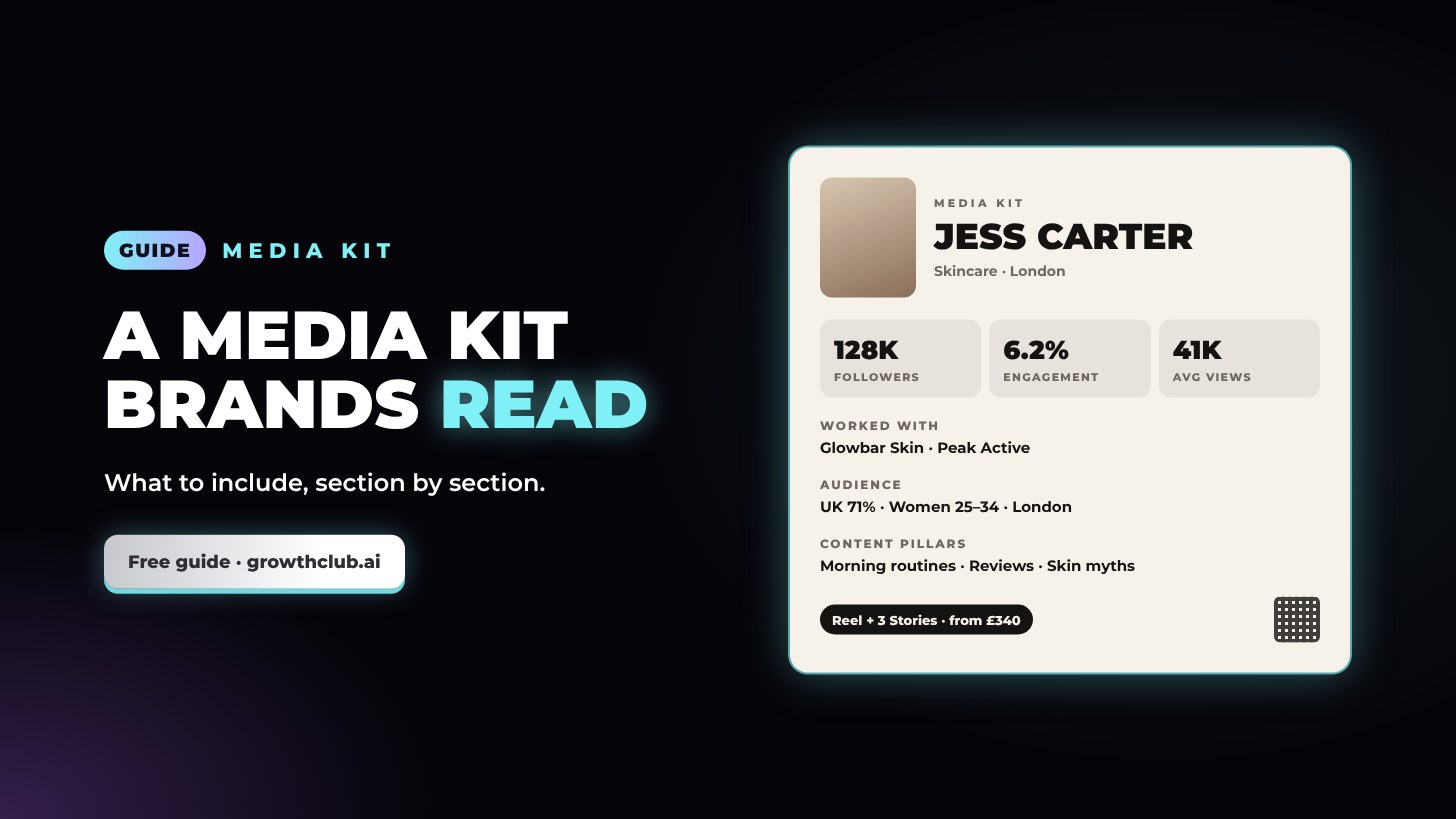
Media kit guide
How to make a media kit brands actually read
A media kit is a one to three-page summary that tells a brand, in about 30 seconds, who you are, who watches you, how your content performs and how to work with you. The essentials are your niche and short bio, audience details, key numbers for each platform, your best past work, the ways you work with brands, and contact details. Keep it current, keep it short, and share it as a link and a PDF. Here’s each section, with a template.
What a media kit is for
Brand teams look at a lot of creators. Your media kit answers their first questions without a back-and-forth:
- Does this creator’s audience match our customers?
- Do people actually watch their content?
- Is their work the kind of thing we’d share?
- How do we book them?
It goes in your pitch emails, your bio link and your replies to brands that contact you. Pair it with a portfolio if you have a lot of work to show.
The sections to include
1. Name, photo and niche
A clear photo, your name or creator name, your handles and a one-line niche: “Budget-friendly skincare for oily skin” beats “Beauty and lifestyle”.
2. Short bio
Two or three sentences in your voice: what you make, who for, and what makes your content different. Mention location if brands might care.
3. Audience
Brands buy audiences. Include, from your platform insights:
- Top countries and cities
- Age range and gender split
- Interests, if your platform shows them
4. Key numbers for each platform
| Number | Tip |
|---|---|
| Followers or subscribers | Per platform, not combined |
| Average views | Last 10 to 15 posts, not your best one |
| Engagement rate | Say how you calculated it |
| Growth | Followers gained over 3 to 6 months |
Use the engagement rate calculator if you’re not sure of yours. Add the month the numbers are from, for example “Stats as of October 2026”.
5. Content pillars
Three or four themes you post about regularly, such as “Morning routines, product reviews, skin myths”. It shows brands where their product would fit.
6. Best work and results
Two to six pieces of content with a result next to each: “142K views, 3.1K saves” or “380 link clicks, 64 codes used”. If you haven’t done paid work yet, show content made in the style of a sponsored post, labelled as your own project. Only share a brand’s own figures, such as code uses, if the brand agrees.
7. Brands you’ve worked with
Names under “Brands I’ve worked with”, and logos only if the brand has agreed. Only include real work, and leave out any deal your contract keeps confidential.
8. Testimonials
One to three short quotes from brands or agencies, with their name and role. Only use quotes they’ve agreed you can share, word for word.
9. Ways to work together
Sponsored posts, product reviews, UGC, brand ambassador, affiliate codes, giveaways, events, takeovers. Brands often don’t know what to ask for.
10. Packages and rates (optional)
Two or three packages, or “from” prices. Some creators prefer “rates on request”. See how to make a rate card.
11. Terms
Turnaround time, what’s included (for example one revision round) and that usage and exclusivity are priced separately.
12. Contact
Business email, a business phone number if you want one, and a QR code that opens your link. Put contact details on every page of a multi-page kit.
A media kit template
[Name] · [Niche in one line]
[@handles] · [Location]
ABOUT
[2 to 3 sentences: what you make, who for, what’s different]
AUDIENCE
Top locations: [country, city] · Age: [range] · Gender: [split]
KEY NUMBERS (as of [month year])
Instagram: [followers] · [average Reel views] avg views · [engagement]%
TikTok: [followers] · [average views] avg views · [engagement]%
YouTube: [subscribers] · [average views] avg views
CONTENT PILLARS
[Pillar 1] · [Pillar 2] · [Pillar 3]
BEST WORK
[Post 1]: [result] · [Post 2]: [result] · [Post 3]: [result]
BRANDS I’VE WORKED WITH
[Brand] · [Brand] · [Brand]
WAYS TO WORK TOGETHER
Sponsored posts · Product reviews · UGC · Ambassador
PACKAGES (from)
[Package 1]: [price] · [Package 2]: [price]
CONTACT
[email] · [phone] · [QR code to your link]
Design tips
- One to three pages. Anything longer doesn’t get read.
- Numbers big, words small. Brands scan for the key numbers.
- Match your content’s look: your colours, your fonts, your photos.
- Use real photos of you, not stock.
- Make it readable on a phone: many brand managers open kits on mobile.
- Export a PDF and keep a live link, so you can update it without resending.
Common mistakes
- Old numbers. Update monthly.
- Combining followers across platforms into one big number.
- Listing every platform, including ones you barely use.
- No contact details, or only a DM handle.
- A beautiful design that hides the numbers.
Build yours in minutes
Growth Club’s media kit builder lays all of this out for you, with 12 ready-made looks from high fashion to streetwear, your stats and packages, a QR code, a share link and a PDF download. Your media kit only ever shows you, never Growth Club.
Make a pitch-ready media kit in minutes: 12 ready-made looks, your stats and rates, a QR code, a share link and a PDF download. Brands only ever see you.
Create my account and try itIt’s free with a Growth Club account.Frequently asked questions
What should be in an influencer media kit?
Your name, photo and niche; a short bio; audience location, age and gender; followers, average views and engagement for each platform; your best work with results; brands you’ve worked with; ways to work together; optionally packages or rates; and contact details.
How long should a media kit be?
One to three pages. Brands want the essentials quickly; link to a portfolio for more examples.
Do I need a media kit if I’m a small creator?
Yes. A clean media kit makes a small creator look professional and gives brands the numbers they need to say yes. Small creators often have strong engagement, which is worth showing.
Should I put rates in my media kit?
It’s optional. Packages or “from” prices filter out brands without budget; “rates on request” keeps flexibility. Have a rate card ready either way.
How often should I update my media kit?
Monthly, or whenever your numbers change noticeably. Put the date next to your stats.
Should I send my media kit as a PDF or a link?
Both. A link is easy to share and always up to date; a PDF is handy for brands that need to forward it or attach it to a brief.
Good to know: this guide is general information, not legal, tax or financial advice. Rates and earnings are estimates, not promises, and platform rules change, so check the official pages we link to. Instagram, TikTok, YouTube, Facebook, Threads, X, LinkedIn and the other names mentioned are trademarks of their owners; Growth Club isn’t affiliated with or endorsed by them.